A well-organized dental practice depends on more than having enough storage space. When supply cabinets, drawers, shelves, and inventory areas are easy to navigate, staff can spend less time searching for everyday items and more time keeping the practice running smoothly. A simple labeling system can make that organization easier to maintain without turning it into a complicated project.
Start With the Supply Cabinets
Supply cabinets are often where organization either works or falls apart. Different sizes of boxes, frequently used items, and backup supplies can quickly become mixed together when there is no consistent system.
Begin by giving each cabinet or shelf a clear purpose. One section might be reserved for office supplies, another for cleaning products, and another for general practice supplies. Labels can then identify the category or type of item stored in each location.
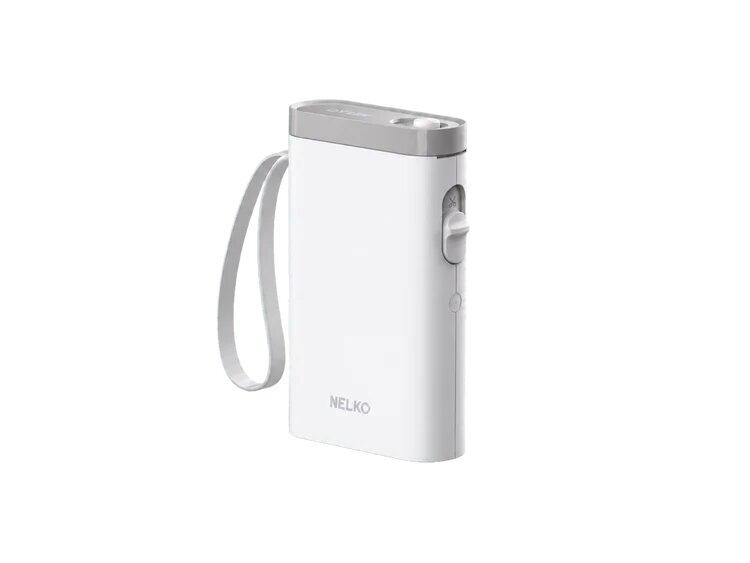
A portable label maker can be particularly useful when labels need to be created or replaced directly in the storage area. The NELKO P21, for example, connects to a phone through Bluetooth and allows users to create customized labels through its app. Its compact design also makes it convenient to move from one cabinet or storage area to another. The goal is not to label every inch of the practice. Instead, focus on places where staff regularly have to search, move, or restock items.
Create a Consistent Naming System
Labels work best when everyone uses the same terminology. Instead of having one shelf marked “Office Stuff” and another marked “Paper Supplies,” establish straightforward categories that staff can recognize immediately.
For example, a cabinet could use labels such as:
Office Supplies
Patient Forms
Front Desk Supplies
Cleaning Supplies
Backup Stock
Disposable Supplies
Staff Supplies
Within those categories, smaller labels can identify individual shelves, drawers, or containers. Keeping the wording short helps labels remain readable while making it easier for staff members to put items back in their intended locations.
Make Inventory Easier to See
A labeling system can also support a simple approach to inventory organization. Rather than relying on memory, practices can divide storage into clearly identified sections for current-use supplies and backup stock.
For example, a shelf might have a “Current Stock” section and a separate “Backup Stock” section. Staff can quickly see where unopened extras belong instead of placing everything together.
Another option is to label storage bins according to the type of supplies they contain. If a particular category takes up several containers, numbering them can make the system easier to follow.
The labels don't need to contain complicated information. A clear category name and, where useful, a short description may be enough to make the storage area easier to navigate.
Use Labels on Drawers, Bins, and Small Containers
Large cabinets are only one part of the organization challenge. Smaller storage spaces can become difficult to navigate when similar-looking containers are placed together.
Labels can distinguish individual drawers, bins, baskets, and containers without requiring staff to open each one. This is especially helpful for items that are stored in identical containers.
For practices that frequently change their storage arrangements, removable or easily replaceable labels can also make reorganizing less frustrating. Instead of rewriting labels by hand, staff can create new ones whenever a drawer or bin gets a new purpose.
Keep Staff Organization Simple
A labeling system should make work easier rather than create another task for employees to manage. That's why it helps to establish a few basic rules.
First, decide where common items belong. Second, label those locations clearly. Third, make it a shared expectation that items return to their designated spaces after use.
It can also help to use similar label formatting throughout the practice. For instance, cabinet labels could use category names, while smaller container labels could identify specific items. Consistency allows staff members to understand the system without having to learn a different approach for every storage area.
Choose a Printer That Fits the Workflow
For small labels, a thermal label printer can be a practical addition to an office organization setup. The NELKO label printer collection includes models suited to different labeling needs, allowing practices to consider the type and size of labels they use most often. The P21 uses direct thermal printing, so it does not require ink, toner, or ribbons. It prints at up to 203 dpi and up to 20 mm per second, while its rechargeable battery and USB-C charging make it convenient for mobile use around the office.
For a dental practice, the important consideration is choosing a printer that matches the size and type of labels needed for everyday organization. A compact model can be useful when labels are mostly intended for cabinets, drawers, bins, and other small storage areas.
Review the System Regularly
Even a good labeling system can become outdated as a practice changes. New supplies may be introduced, storage areas may be rearranged, and certain categories may become more or less important over time.
A quick review every few months can help. Walk through the supply cabinets and storage areas and look for labels that are unclear, outdated, missing, or no longer match the contents of the space.
The best system is one that reflects how the practice actually works. If staff can quickly identify where something belongs and return it there without confusion, the labeling system is doing its job.
A Small Change With an Everyday Benefit
Organizing a dental practice doesn't always require a major overhaul. Clear labels on cabinets, drawers, bins, and inventory areas can provide a simple framework that helps staff find and return everyday supplies.
By combining consistent naming, designated storage locations, and an easy way to create replacement labels, practices can build an organization system that is practical enough to maintain. The result is a storage environment that feels less cluttered and is easier for the whole team to navigate.